📰 NewsCS
Novinka: Dálkový mixpult – ovládejte studio z mobilu, nebo tabletu
Vambi WebDJ teď ovládáte i z mobilu nebo tabletu. Naskenujete QR kód a v telefonu máte pult s decky, tahy, jinglovými pady a předposlechem do sluchátek. Nic se neinstaluje.
Vambi WebDJ turns AzuraCast into a full studio: broadcast from the decks or from your mixing desk, playlist production, ads, sweepers and a mix editor. Works on Mac, Linux and Windows – all you need is Chrome.
Introductory price until 31.3.2027Licences from $2 a month instead of $5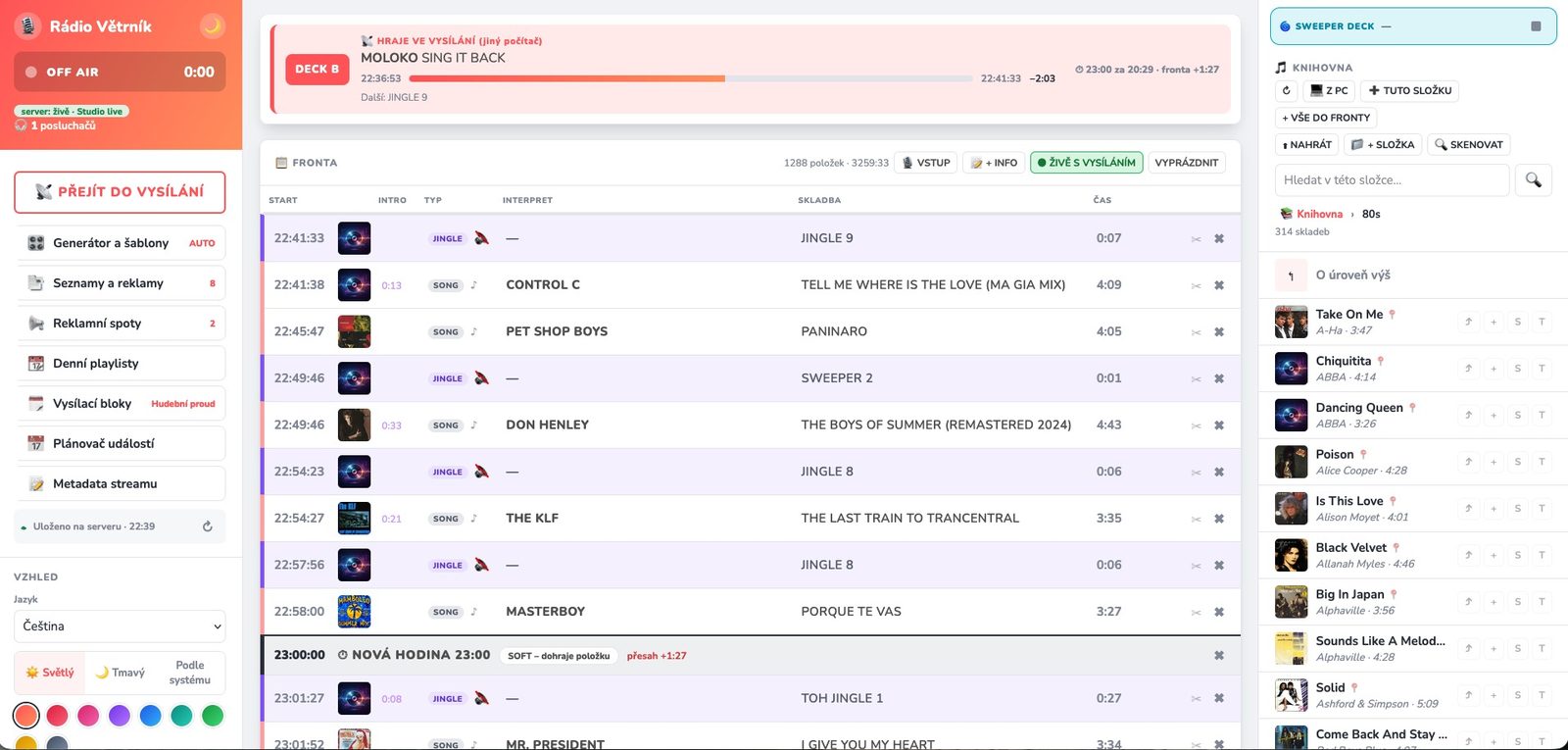
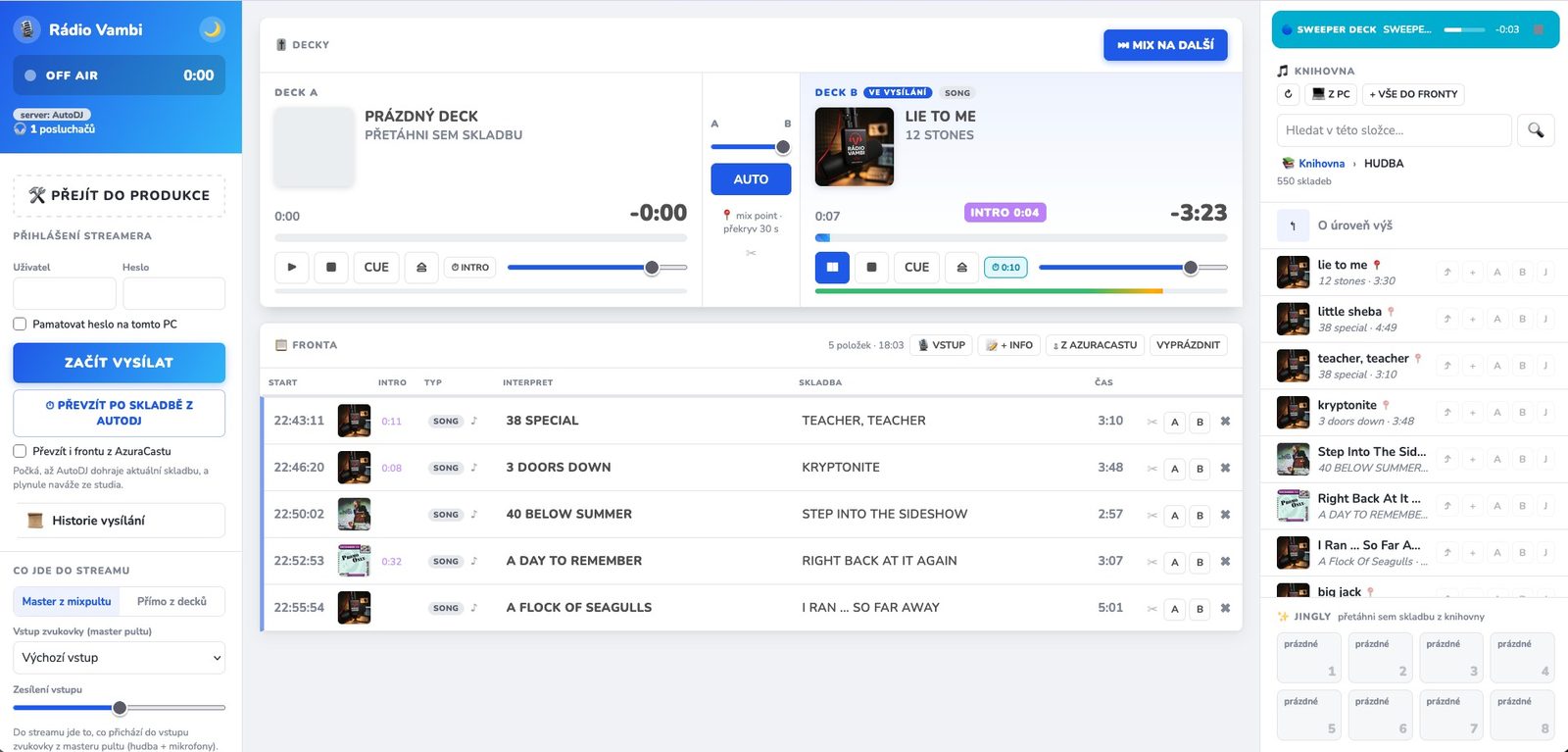
No mock-ups – this is what the studio looks like during a real broadcast.
Intro and mix-point countdowns, category-based transitions and jingles between songs. Take over with a single click whenever you want.
When to leave, when the next song comes in and where the sweeper goes – set it with the mouse right on the waveforms. The studio remembers the transition.
Record a link with your microphone right in the studio, add a music bed and drop it into the queue between songs.
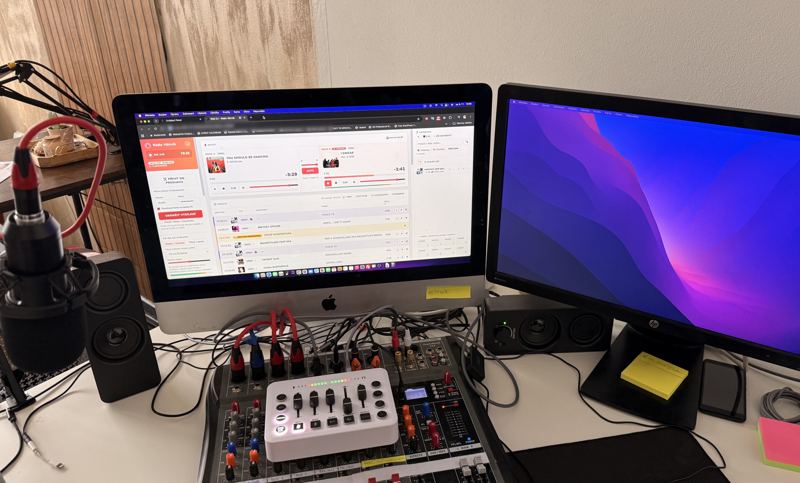
Rádio Větrník broadcasts from Vambi WebDJ every day: an iMac with a browser, a small mixer and microphones. No expensive hardware or special software.
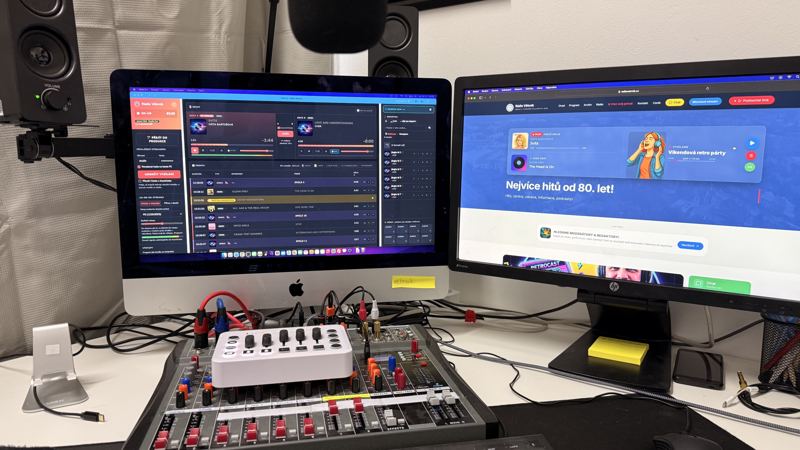
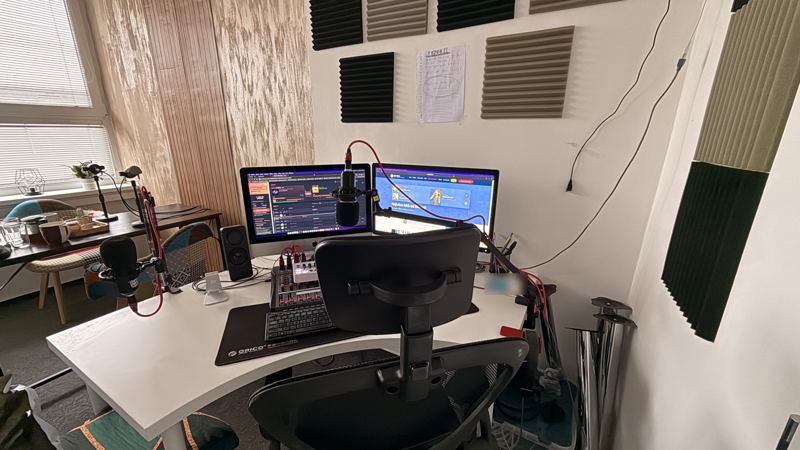
These stations already broadcast from Vambi WebDJ – give them a listen.
Do you broadcast with WebDJ too? Add your station – all it takes is a logo, a name and links.
Crossfades, smart loudness-based crossfade, silence skipping, a sweeper deck over intros, intro and mix-point countdown.
Hour templates, daily playlists, ad and promo breaks with campaigns, live sync with the broadcast.
Waveforms of the song's end and start, sweeper, ducking, headphone preview. Saved transitions work on every computer.
Cue in/out, intro and mix points measured automatically, manual tweaks, written to AzuraCast for AutoDJ too.
Campaigns with play counts, break jingles, client reports as PDF and CSV, broadcast history for royalty reporting.
Microphone, jingle pads F1–F8, keyboard shortcuts, backtiming to the top of the hour, silence alarm.
Two decks with intro and mix-point countdown, a queue with start times, the library, a sweeper deck and jingle pads. The automation mixes by itself and the presenter can take over at any time.
A generator driven by hour templates, ad campaigns, daily playlists and a scheduler. The queue shows every top of the hour and any overrun, and changes go straight to the broadcast.
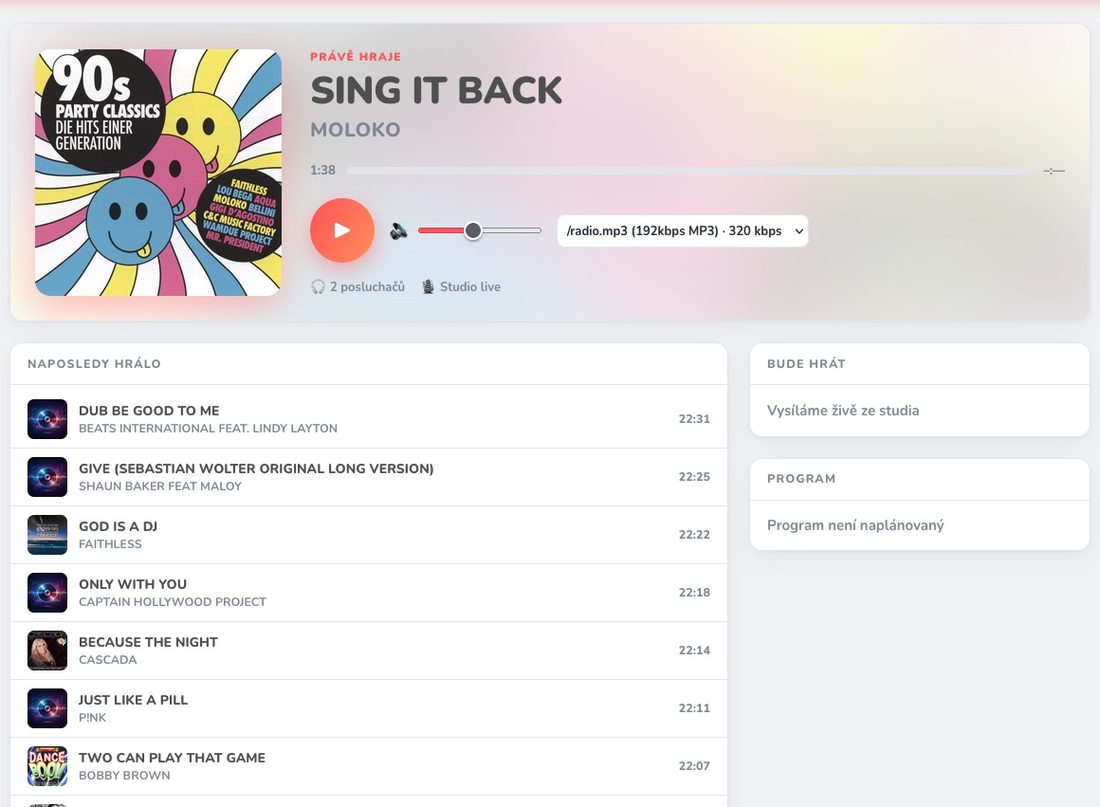
Listeners see what's playing now, the song history and the player. The AzuraCast theme and public pages are included in the licence.
Click an image to enlarge it.
No sign-up needed: log in to the demo station and try out broadcasting and production for yourself.
The full version in AzuraCast: studio, production, AutoDJ and the station's public pages.
radiovetrnik-optiplex-3010.tailf67b20.ts.netdemoradio@radiozona.czDemoradio2026Studio and production on ordinary PHP hosting. In real use, BUTT would send the stream.
radiozona.cz/webdj/demoradiodemoradioDemoradio2026You share the demo with other visitors – please don't change passwords or delete other people's songs. The studio works best in Google Chrome.
Vambi WebDJ teď ovládáte i z mobilu nebo tabletu. Naskenujete QR kód a v telefonu máte pult s decky, tahy, jinglovými pady a předposlechem do sluchátek. Nic se neinstaluje.
Google Chrome and an internet radio station running AzuraCast. Without AzuraCast, use the Lite edition – ordinary PHP hosting and the BUTT encoder are enough.
Yes. The studio runs in the browser, so it works on macOS, Linux and Windows. Nothing to install on your computer.
Yes. The decks can play into your desk and the desk master goes to the stream – or you broadcast straight from the decks and microphone in the browser.
With the AzuraCast edition its AutoDJ takes over, so the station keeps playing. With Lite the broadcast runs as long as the on-air computer is open.
Fourteen days free, no credit card. Then you choose a monthly, yearly or lifetime licence.
By bank transfer with a QR code in Czech crowns or euros (SEPA); international customers can also pay via PayPal. The licence is activated as soon as the payment arrives.
Everything included: the studio, Mixcloud panel, AzuraCast theme and public pages.
Try it with no commitment – pay month by month.
Two months free compared to paying monthly.
A lifetime licence for one station, updates included.
14 days to try for free, no credit card. Not a VAT payer. A licence covers one AzuraCast address; for the Lite edition one installation.
/public/vase-stanice/dj – the studio is ready. Updates arrive automatically.